

Availability
Embedders are available from v2.2.0.
Overview
An Embedder is a saved embedding configuration. It tells AI Studio which client to call, AI Studio uses an Embedder to change text into vectors. Before v2.2.0, each data source kept its own embedding settings. Now many data sources can share one Embedder. If you change the endpoint or the API key of an Embedder, the change applies to all the data sources that use it.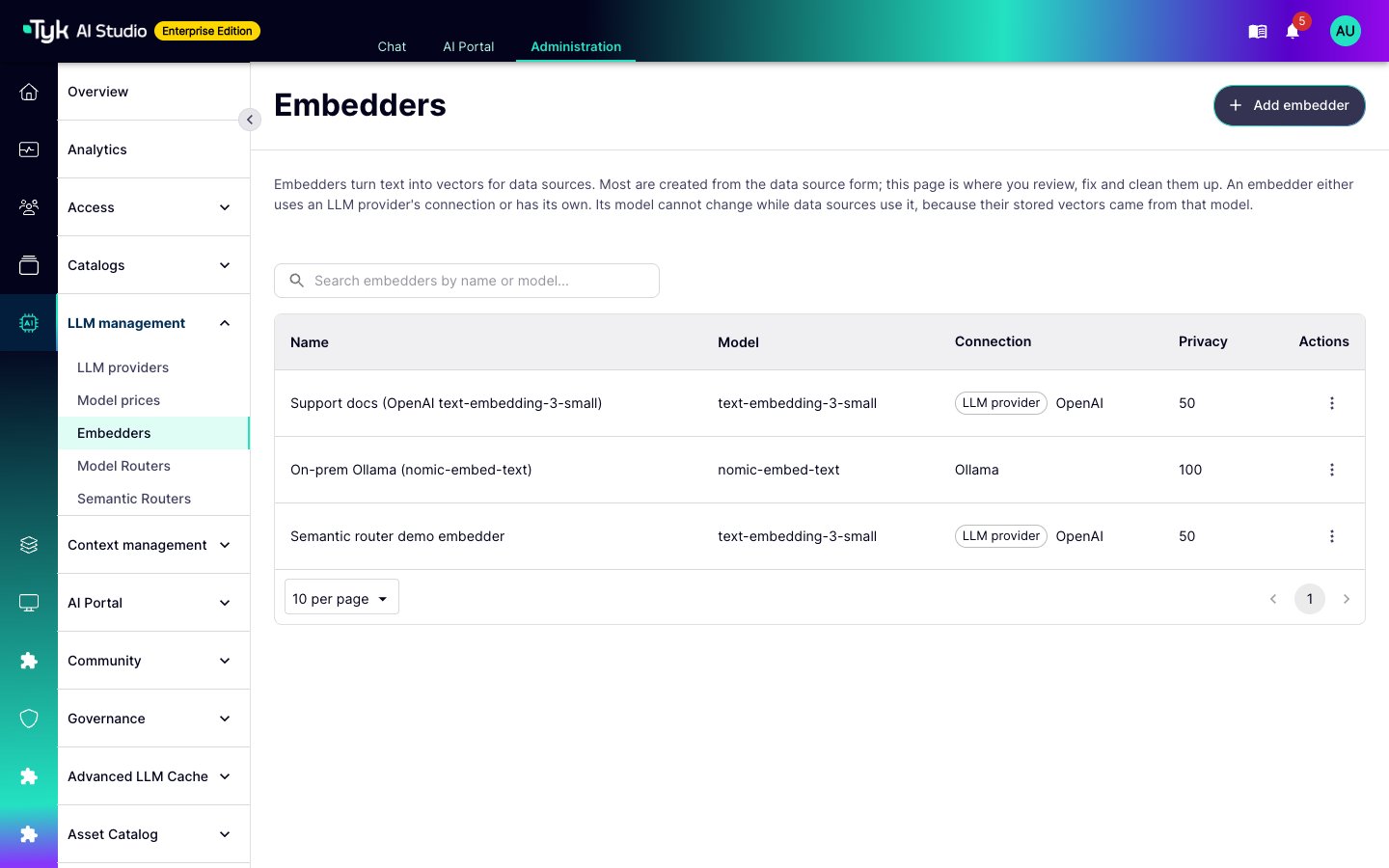
What Uses Embedders
Semantic caching does not use the shared Embedders. The Advanced LLM Cache plugin has its own embedder settings in the plugin configuration. It calls an OpenAI-compatible endpoint, or it uses a local hashing embedder.
Linked and Standalone Embedders
An Embedder gets its connection in one of two ways:
A linked Embedder follows its LLM provider. When you change the endpoint, the key, or the privacy score of the provider, the Embedder uses the new values.
The LLM provider list shows only the providers whose vendor supports embeddings.
API Compatibility
API compatibility is the client that AI Studio uses to call the endpoint. It is not always the company that serves the model. For example, if you serve a Hugging Face model through an OpenAI-compatible API, select OpenAI. The vendors that support embeddings are OpenAI, Ollama, Google AI, Vertex, and Hugging Face.- Endpoint URL: Leave it empty to use the default endpoint of the vendor.
- Vertex: The endpoint field is Project and location. Enter the Google Cloud project and region, for example
my-project:us-central1. - API key: Enter the key, or a reference to a stored secret (
$SECRET/NAME) or an environment variable ($ENV/NAME). AI Studio does not show a stored key again. Use a secret reference, so that the Embedder does not store the key itself.
Rules That Protect Your Data
The Model Is Locked
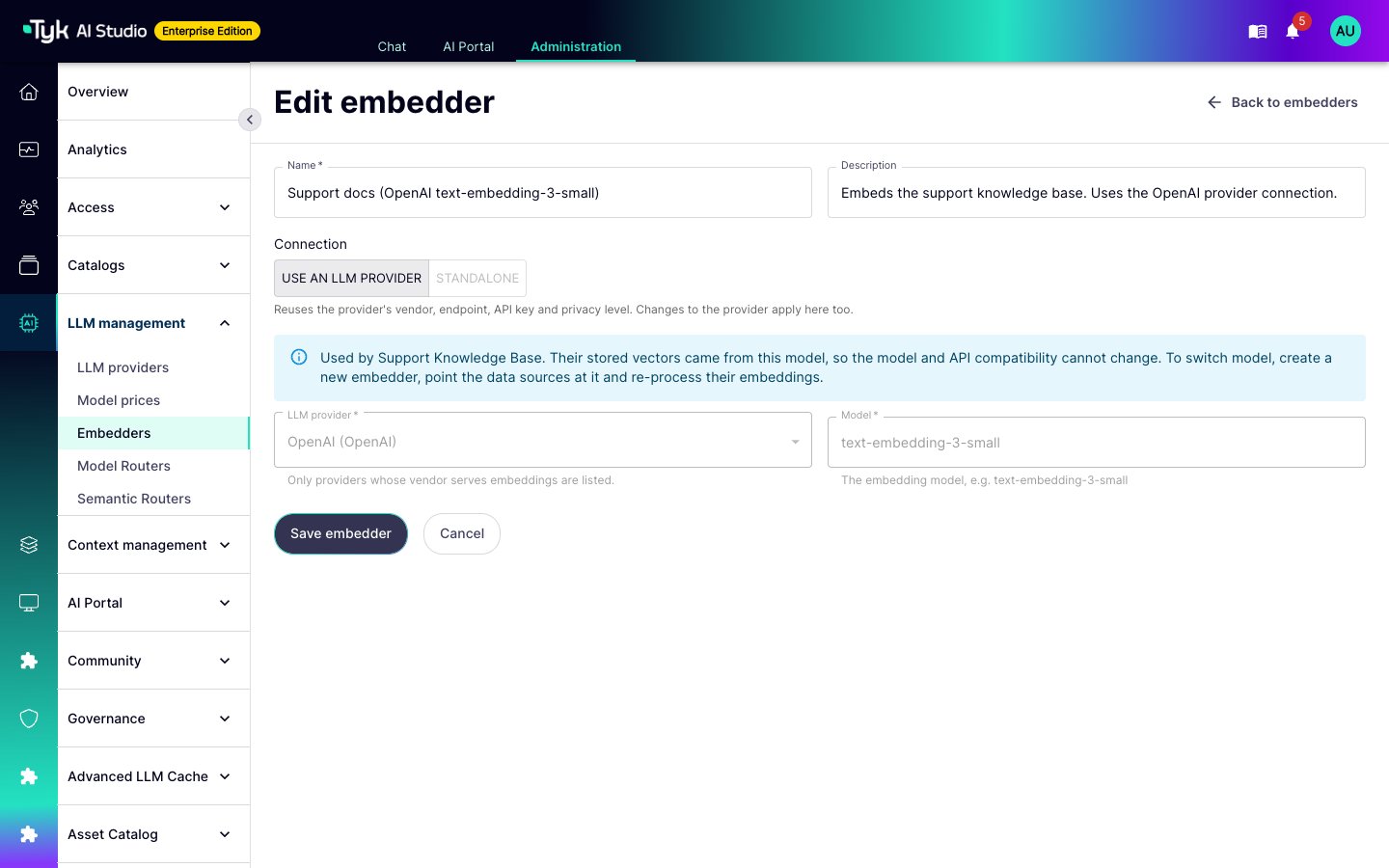
The vectors in a vector store come from one model. If a query uses a different model, the search returns poor matches, and AI Studio shows no error. For this reason, while a data source uses an Embedder, you cannot change:- The model.
- The API compatibility of a standalone Embedder.
- The LLM provider of a linked Embedder.
- The type of the Embedder, from linked to standalone or the opposite.
- Create a new Embedder with the new model.
- Select the new Embedder on the data source.
- Process the embeddings of the data source again.
Privacy Levels
An Embedder receives the text that it embeds. Thus, its privacy score must be equal to or higher than the score of each data source that uses it. AI Studio refuses a data source, or a change to an Embedder or an LLM provider, that breaks this rule. For a semantic router, the privacy score of the Embedder is one of the values that set the privacy score of the router. For more information about privacy scores, refer to Privacy Levels.Delete an Embedder
You cannot delete an Embedder that a data source or a semantic router uses. The error message lists them. The Used by section of the Embedder detail page shows the same list. You also cannot delete an LLM provider while an Embedder is linked to it.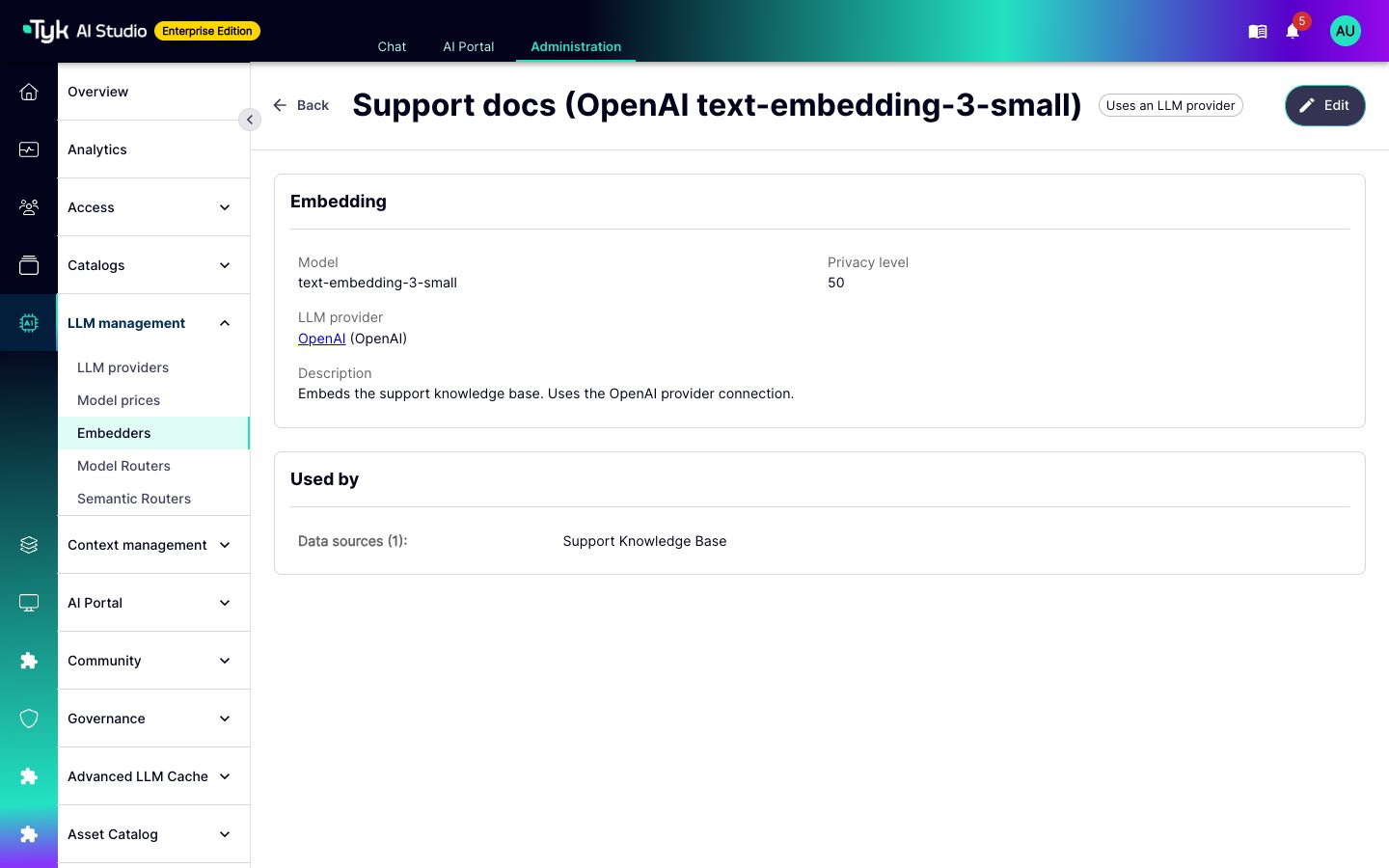
Namespaces
An Embedder that is linked to an LLM provider in a namespace can serve only the data sources and semantic routers in that namespace. An Embedder that is linked to a global provider can serve all namespaces. A standalone Embedder has no namespace. AI Studio refuses a change that breaks this rule. Thus, the key of a provider does not go to Edge Gateways in other namespaces.Inactive LLM Providers
A data source can still use an Embedder whose LLM provider is not active. The data source continues to embed its documents and queries, in AI Studio and on Edge Gateways. A semantic router is different. On Edge Gateways, a router with a linked Embedder uses the LLM provider of the Embedder. Edge Gateways receive only the active providers. Thus, the router cannot embed through an inactive provider. It continues with its other classification steps.Create an Embedder
You can create an Embedder in two ways.From the Embedders Page
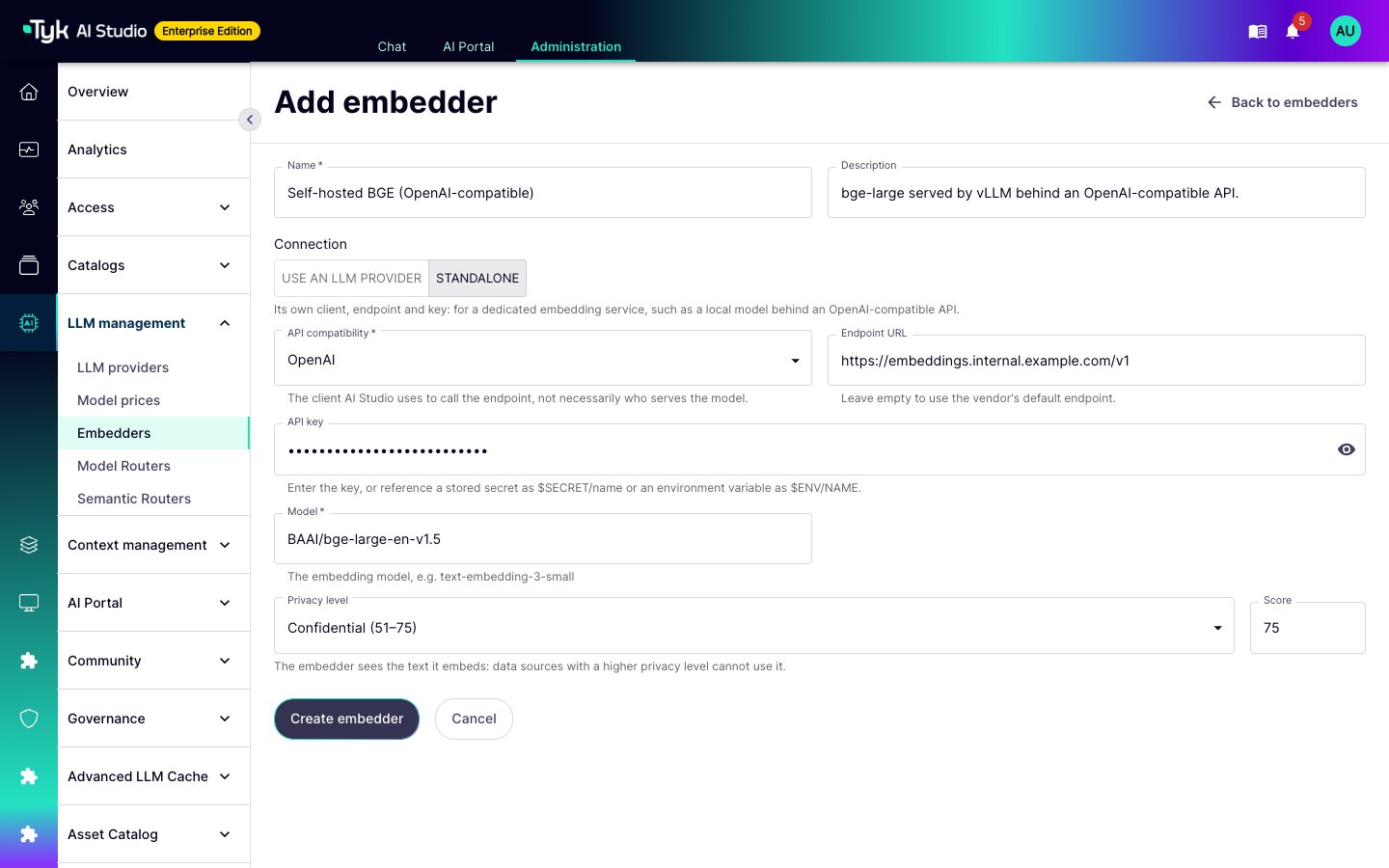
- Go to LLM management > Embedders, and click Add embedder.
- Enter a Name and, optionally, a Description.
- In Connection, select Use an LLM provider or Standalone.
- For a linked Embedder, select the LLM provider.
- For a standalone Embedder, select the API compatibility. Then enter the endpoint and the API key. Refer to API Compatibility.
- Enter the embedding Model, for example
text-embedding-3-small. - For a standalone Embedder, set the Privacy level. A linked Embedder uses the privacy score of its LLM provider.
- Click Create embedder.
From a Form That Uses an Embedder
The data source form and the semantic router form (Enterprise) have an Embedder field. Select an existing Embedder, or click New embedder to create one without leaving the form. The list shows the model, the vendor, and the privacy score of each Embedder.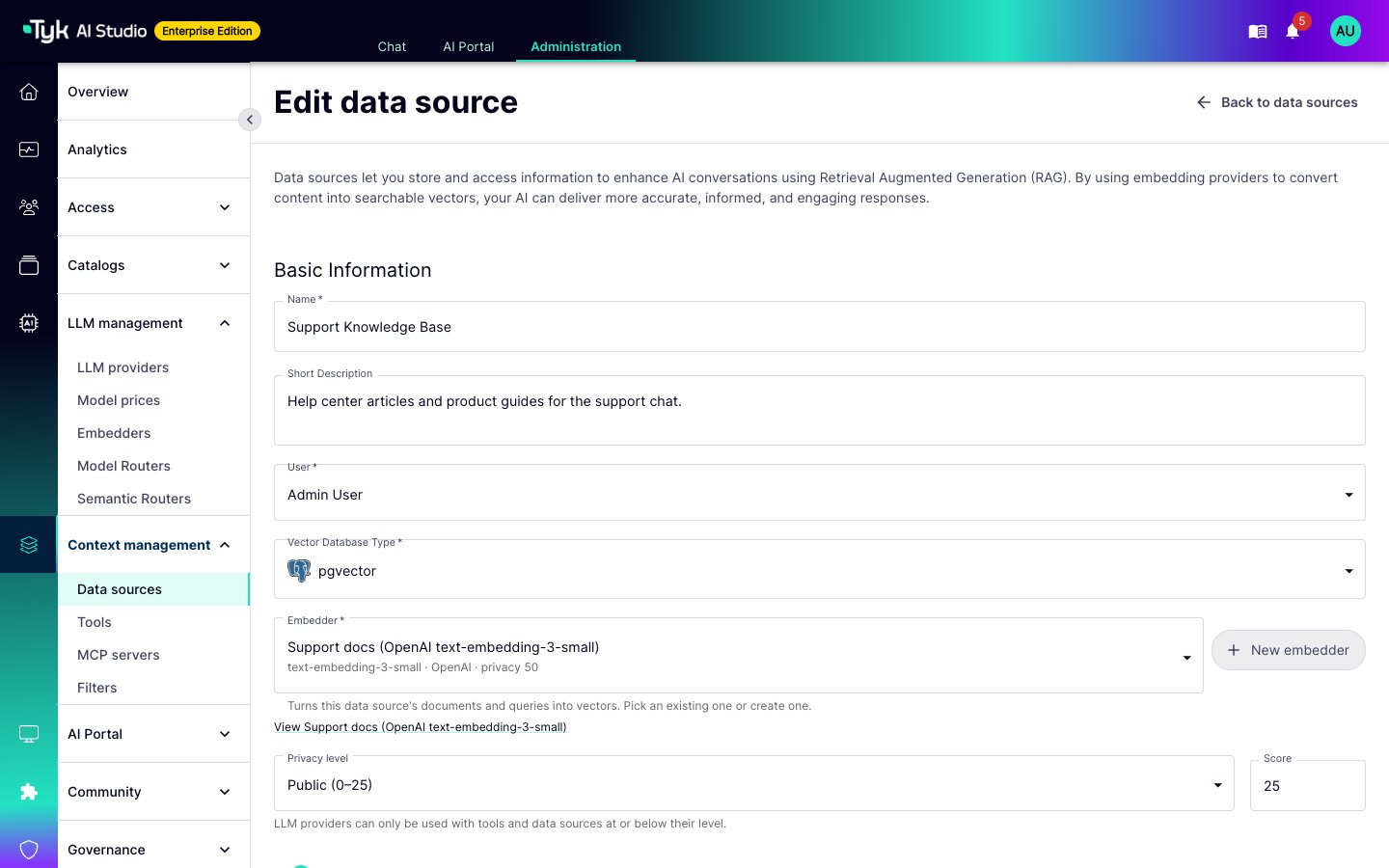
Permissions
In the Enterprise Edition, theembedders permission controls the Embedders page. It is in the LLM management group of the permission catalog.
- To create an Embedder, a user needs
embedderswith thewriteaction. This applies on the Embedders page and to the New embedder button on other forms. - A linked Embedder uses the credentials of its LLM provider. To link an Embedder, or to change its provider, a user also needs
llmswith thereadaction.